

Build:
To finish this build, here's what I need to get done:
1• Find a way to fix the blind boot. Init Display is set to IGFX and Integrated Graphics is Enabled. Any other combination is giving me a boot0 error.
2• Get my new Seagate Barracuda ST3750525AS HDD to run on OSX. I connected it earlier but got a boot0 error. Tried the boot0 fix found on macbreaker to no avail. Maybe it was caused by the incorrect bios settings I had.
3• Copy my Windows iTunes library and iPhone backups to OSX. (Paragon NTFS should do the job right?)
1• The Blind Boot. Having the setting mentioned above, OSX boots and runs great but I can't see anything during the boot up and this means I can't boot into Windows...because I can't see anything.
How do I fix this? I've heard of using FBRotate and GraphicsEnabler=no but GraphicsEnabler is set to NO by default when using multibeast isn't it?
2• I am not 100% sure whether the boot0 errors were caused by the HDD or the incorrect graphics settings in the bios (most likely the latter) but can someone still go through the process of installing the HDD to OSX?
3• How will I make the iTunes library and backups I have on Windows copy over to OSX. Will simply using Paragon NTFS simply be the solution?
Thanks a lot, guys. Couldn't have done it without you.
- i7-4770k
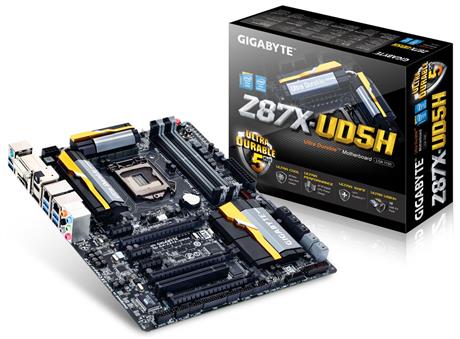
- Gigabyte Z87x-UD5H
- 8GB Corsair XMS3 DDR3-1333 RAM
- Sapphire HD7950 OC edition.
- Samsung 840 EVO 250GB (OSX Mavericks Boot drive)
- Seagate Barracuda 1TB (Windows 8 drive)
WD Caviar Green 1TB (Windows storage)
As far as I can tell, OSX seems to be running pretty stable.To finish this build, here's what I need to get done:
1• Find a way to fix the blind boot. Init Display is set to IGFX and Integrated Graphics is Enabled. Any other combination is giving me a boot0 error.
2• Get my new Seagate Barracuda ST3750525AS HDD to run on OSX. I connected it earlier but got a boot0 error. Tried the boot0 fix found on macbreaker to no avail. Maybe it was caused by the incorrect bios settings I had.
3• Copy my Windows iTunes library and iPhone backups to OSX. (Paragon NTFS should do the job right?)
1• The Blind Boot. Having the setting mentioned above, OSX boots and runs great but I can't see anything during the boot up and this means I can't boot into Windows...because I can't see anything.
How do I fix this? I've heard of using FBRotate and GraphicsEnabler=no but GraphicsEnabler is set to NO by default when using multibeast isn't it?
2• I am not 100% sure whether the boot0 errors were caused by the HDD or the incorrect graphics settings in the bios (most likely the latter) but can someone still go through the process of installing the HDD to OSX?
3• How will I make the iTunes library and backups I have on Windows copy over to OSX. Will simply using Paragon NTFS simply be the solution?
Thanks a lot, guys. Couldn't have done it without you.
 ...source
Post a Comment