

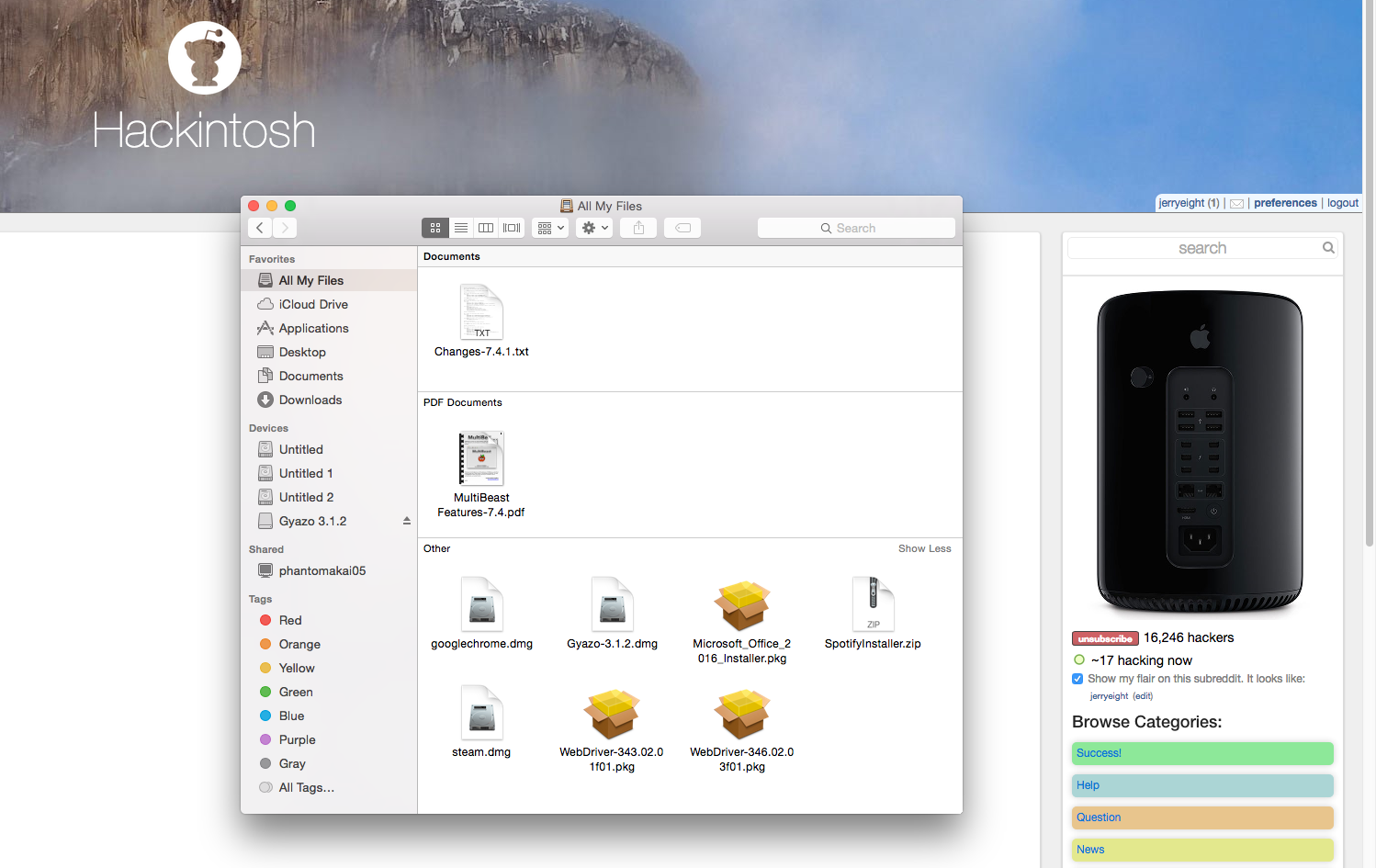
Hey guys I have just managed to install Yosemite 10.10.5 on to my rig with specs below using unibeast and multibeast, howerever I am unable to see the drive on which I installed Yosemite however under Finder I can see my other two drives that I am using for my Windows 10 installation.
Screenshot of the issue. The drives named untitled are used for my Windows installation in NTFS.
https://i.gyazo.com/82c66e2eaf8b2c055cc8c8f31e355aa8.png
PCPartPicker part list / Price breakdown by merchant
| Type | Item | Price |
|---|---|---|
| CPU | Intel Core i7-4790K 4.0GHz Quad-Core Processor | $327.99 @ NCIX US |
| CPU Cooler | Corsair H100i 77.0 CFM Liquid CPU Cooler | $103.99 @ Amazon |
| Motherboard | ASRock Z97 EXTREME6 ATX LGA1150 Motherboard | $146.98 @ Newegg |
| Memory | G.Skill Trident X Series 16GB (2 x 8GB) DDR3-2133 Memory | $89.99 @ Newegg |
| Storage | Samsung 840 EVO 250GB 2.5" Solid State Drive | $129.98 @ OutletPC |
| Storage | Seagate Barracuda 2TB 3.5" 7200RPM Internal Hard Drive | $64.80 @ SuperBiiz |
| Video Card | Gigabyte GeForce GTX 970 4GB WINDFORCE Video Card | $349.99 @ NCIX US |
| Case | Phanteks Enthoo Pro ATX Full Tower Case | $98.99 @ NCIX US |
| Power Supply | EVGA SuperNOVA NEX 750W 80+ Gold Certified Fully-Modular ATX Power Supply | $74.99 @ Newegg |
| Prices include shipping, taxes, rebates, and discounts | ||
| Total (before mail-in rebates) | $1427.70 | |
| Mail-in rebates | -$40.00 | |
| Total | $1387.70 | |
| Generated by PCPartPicker 2015-08-24 05:06 EDT-0400 |
[link] [comment]
What is missing? Please comment to help! For more info try www.iatkos.net

Post a Comment